
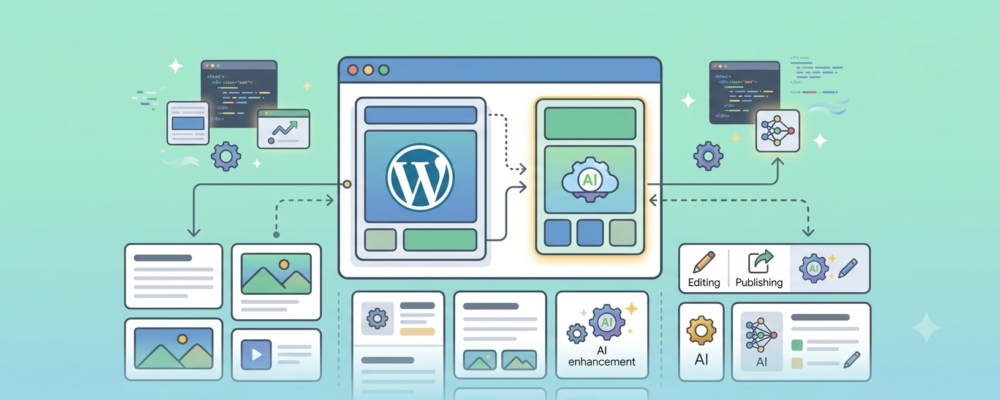
We Built a CMS With AI. Here’s Why We’re Not Replacing WordPress Yet
Posted on AI Website Development | WordPress

- AI can build a functioning content management system surprisingly quickly, but functioning is not the same as secure, maintainable, or ready for a client’s real-world needs.
- We see tremendous value in using AI to accelerate custom WordPress development, create prototypes, troubleshoot code, and build specialized functionality.
- Visionary will continue testing emerging platforms, but we will not use our clients’ websites as laboratories. Our goal is to remain cutting edge without pushing clients onto the bleeding edge.
At Visionary, we have always believed that experience should give us better judgment, not narrower thinking.
That distinction matters right now because website development is changing quickly. Artificial intelligence can write code, generate page layouts, create databases, troubleshoot errors, and build working applications from natural-language instructions. New tools appear almost weekly, each promising to make development faster, easier, and accessible to almost anyone.
As custom WordPress developers, we could respond to this change in two very different ways. We could retreat into what we already know and insist that WordPress will always be the answer. That would be the Expert Mind taking over, allowing past success to limit what we are willing to consider.
Or we could become so excited about the new technology that we start using unproven tools on client projects simply to demonstrate that we are keeping up.
Neither approach feels right.
We want to stay at the cutting edge of website development, but we do not want our clients paying the price of the bleeding edge.
Keeping the Beginner’s Mind
In our article, “Creation vs. Compliance: The Framework That Drives Our Mission,” we explored the difference between the Expert Mind and the Beginner’s Mind.
The Expert Mind often sees fewer possibilities. Experience tells us what usually works, so we begin applying the same answer before we have fully examined the question.
The Beginner’s Mind remains curious. It asks whether the current approach is still the best one and considers new tools without immediately rejecting them because they are unfamiliar.
That mindset is important to us. WordPress has been the foundation of our development work for many years, but we do not want our knowledge of WordPress to become a reason to stop exploring. Platforms change, client needs change, and development practices change. AI is clearly changing all three.
The challenge is remaining open without becoming careless.
A Beginner’s Mind does not mean forgetting everything experience has taught us. It means giving new ideas a fair examination, testing them honestly, and then applying judgment based on what we discover.
That is exactly what we recently did.
Can AI Build a Content Management System?
Our developers, Steve Cafarelli and Sankaran Rajan, recently spent time exploring whether an AI coding agent could create a custom content management system from the ground up.
The answer was yes.
Using AI-assisted development tools, it was possible to create files, define a database, generate an administrative interface, add pages, edit content, execute code, and troubleshoot errors. Within a relatively short period, we had something that functioned as a basic CMS.
That was impressive, but it also turned out to be the least important part of the experiment.
The real question was not whether AI could create something that looked and behaved like a content management system. The real question was whether we would trust that system with a client’s website.
Those are very different standards.
As Steve reflected after the experiment:
The issue isn’t whether AI can build a CMS. It clearly can. The issue is whether the result is something you’d trust in production.
That distinction became the central takeaway from our discussion.
The Homemade Car
Steve came up with an analogy that explains the problem better than any technical comparison.
Imagine deciding to build your own car. It may be easier than most people think to assemble something that resembles one. You could find an engine, construct a frame, attach four wheels, install a steering mechanism, and create something capable of moving under its own power.
Technically, you have built a car. You may even be able to drive it around a parking lot.
But would you take it onto the Long Island Expressway at 70 miles per hour? Would you drive it through heavy rain or snow? Would you put your family in it? Would you trust the brakes on a steep hill?
Suddenly, the questions become much harder. Has the suspension been engineered correctly? What happens during a collision? Does the frame protect the passengers, or does it create an additional hazard? How does the vehicle perform after thousands of miles? Can it be repaired by someone other than the person who built it?
Then there are the things drivers expect from a modern vehicle: air conditioning, navigation, dependable safety systems, comfortable seating, reliable electronics, readily available replacement parts, and a service network that will still exist several years from now.
Those features are not what technically make it a car. They are what make it a car people can depend on.
Our AI-generated CMS felt very similar.
In roughly half an hour, we could produce something that technically worked. Pages could be created, content could be edited, and information could be stored in a database. We had built the equivalent of a homemade car that moved around the parking lot.
We had not built something we were ready to take on a long trip.
“It Works” Is Only the Beginning
Software demonstrations tend to focus on the visible result. A page loads. A form submits. A user can log in. An administrator can change a headline.
That creates a powerful impression because the system appears complete. But a professional website is not defined only by whether its visible features work during a demonstration.
How secure is the login process? Are user permissions structured correctly? Is information being properly validated and sanitized? What happens when the client adds hundreds or thousands of pages? Can the website be updated without breaking existing functionality?
We also have to consider backups, disaster recovery, hosting changes, performance, accessibility, future integrations, and the ability of another developer to understand the system years later. What happens when the client asks for functionality that was never anticipated in the original build?
These are not unusual circumstances. They are the normal life of a client website.
A proof of concept only has to demonstrate that an idea is possible. A production website has to remain usable, secure, maintainable, and dependable after the demonstration is over.
As Steve put it:
The danger is assuming that because something functions, it’s automatically ready for production.
That gap between “it works” and “it is ready” is enormous.
Rebuilding WordPress Version 1
As the AI-built CMS developed, we began asking for features that clients already expect. We needed pages, posts, navigation menus, templates, user roles, media management, database structure, reusable content elements, and an editing interface.
Then we needed better editing tools, more control over permissions, and a more intuitive administrative experience. We needed ways to extend the platform without rewriting its core functionality every time a client requested something new.
Sankaran made the observation that summed up the entire exercise:
We’re basically rebuilding WordPress Version 1.
That does not mean WordPress is perfect, or that it will always be the right platform for every project. It means mature platforms contain far more accumulated knowledge than is visible on the surface.
WordPress has been developed, tested, attacked, repaired, extended, documented, and improved for more than two decades. It includes established systems for users, content, media, templates, revisions, updates, plugins, APIs, and administration.
Its broader ecosystem adds mature tools for search engine optimization, security, forms, email delivery, analytics, accessibility, backups, privacy management, and countless third-party integrations. Tools such as Rank Math, Yoast, Wordfence, SMTP plugins, Gutenberg, and the WordPress media library solve problems clients and developers encounter every day.
A custom CMS can recreate a page editor. Recreating the accumulated functionality, testing, documentation, integrations, and institutional knowledge surrounding WordPress is a very different undertaking.
It is the software equivalent of building not just a car, but also the replacement parts, diagnostic equipment, mechanic training, safety testing, and service network.
A Quick Pause: We Don’t Worship the W Logo
Before every headless-CMS advocate on LinkedIn emails us: whoa, whoa… you VGL guys got it all wrong…
We need to step back and acknowledge that we’re painting with broad brushstrokes here.
Our hands-on experiment with an AI-generated CMS was a single snapshot of a massive, rapidly evolving technology. We know our experience isn’t the whole picture. The AI tooling landscape changes weekly, and the way one team prompts, structures, or constrains an AI agent isn’t the absolute final word on what AI-assisted software engineering can or can’t do.
We also know that WordPress is far from perfect.
We are fully aware of wp_postmeta database bloat. We know the pain of two decades of legacy code, backward-compatibility drag, and third-party plugin vulnerabilities. We know that modern, code-first frameworks—like pairing Payload CMS or Sanity with Next.js—can eliminate a lot of monolithic overhead, provide pristine type-safety, and offer lightning-fast API responses for multi-channel publishing.
We don’t use WordPress because we’re blind to its baggage, or because we’re WordPress dogmatists who refuse to look at anything written after 2010.
In fact, we regularly build outside the WordPress ecosystem when a project demands it. When a client needs an ultra-lightweight web app, a complex custom data API, or a completely headless architecture, we don’t force a square WordPress peg into a round hole. We use the right tool for the job—AI-assisted or not.
The reason WordPress remains our primary engine for most client sites isn’t because it’s technically flawless. It’s because it solves a practical, human problem most of the time:
- Client Independence: A non-technical marketing manager can step into a WordPress dashboard on day one and edit a page without needing an engineer to deploy a new code build.
- Ecosystem & Portability: If a client ever parts ways with us, they aren’t trapped with a bespoke, exotic stack that only three developers in North America understand.
So yes, our AI experiment was a generalized test, and no, WordPress isn’t the holy grail. But recognizing that an AI-generated CMS is currently a fragile prototype isn’t a defense of legacy software. It’s simply admitting that for most real-world business websites, a battle-tested ecosystem with a few miles on the odometer is still a safer ride than a shiny custom vehicle with no crash-test data.
AI Still Needs an Experienced Developer
Another lesson from the experiment was that AI did not independently design the complete system. It needed direction at nearly every important stage.
We had to define the folder structure, technologies, database architecture, templates, administrative behavior, hosting environment, and expected functionality. The initial instructions were not a single sentence typed into a box. Developing the prompt itself required a detailed conversation about what the system should do and how it should be constructed.
The CMS also was not completed with one prompt. There were several initial prompts, followed by error messages, corrections, feature requests, troubleshooting, and additional instructions. AI saved coding time, but the work still required supervision from someone who understood what the output was supposed to accomplish.
As the project became more complex, the AI sometimes introduced its own structures or drifted away from the requested architecture. It could generate inefficient code or place styles and functionality where an experienced developer would not want them.
Version control quickly became essential. We needed the ability to compare changes, manage different versions, and return to a stable point when a new instruction created an unexpected problem.
AI was an accelerator. It was not the architect, quality-control department, security specialist, or accountable party.
Security Cannot Be Added With a Casual Prompt
Security was probably our greatest concern.
When a team develops a custom CMS, it becomes responsible for protecting every part of that system. An AI agent will implement the protections it has been instructed to implement, along with whatever protections it happens to infer from the context.
That is not the same as working from a mature, continuously tested security model.
Unless the person directing the AI knows which risks to anticipate, important protections may never be requested. A developer can certainly type, “Make this secure,” but secure against what?
Authentication attacks, improper file uploads, database injection, cross-site scripting, incorrect user permissions, exposed credentials, vulnerable dependencies, automated abuse, failed updates, and data loss all require different protections.
Security is not one feature that gets switched on at the end of the build. It affects architecture, code, hosting, permissions, maintenance, monitoring, and recovery.
WordPress does not make these risks disappear. It does, however, provide a mature foundation, an established update process, a large security community, and specialized tools built around known threats.
With a fully custom AI-generated system, much of that responsibility moves directly onto the developer. That is not necessarily a reason never to build one, but it is a reason to be honest about what we are taking on.
Client Usability Matters Just as Much
Developers sometimes become too focused on whether a system can perform a task and not focused enough on whether a normal person can comfortably use it.
WordPress provides clients with a familiar administrative environment, a media library, navigation management, rich content blocks, publishing controls, user roles, revisions, and an enormous amount of documentation.
Our test CMS provided basic fields and editing controls. That was enough to demonstrate the concept, but it was not enough to deliver the experience clients now expect.
Creating something comparable to the WordPress block editor would require far more prompting, development, testing, and debugging. The same was true for media management, search engine optimization controls, forms, email delivery, and other standard capabilities.
None of these individual problems is impossible. The real question is whether rebuilding all of them creates meaningful value for the client.
Custom development should solve a client’s unique problem. It should not consume the project budget recreating mature functionality simply because AI has made the recreation possible.
Client Websites Are Not Laboratories
There is a healthy way to experiment with emerging technology, and there is a reckless way.
The healthy approach is to isolate the experiment. We can build internal tools, create prototypes, test an agent on a noncritical application, use sample data, review generated code, run security tests, and intentionally try to break the system.
We can document what happened, put the work under version control, and make sure a human developer can explain every important decision.
The reckless approach is to introduce an unproven technology into a client engagement because it promises faster production or because the technology feels inevitable.
Our clients are not paying us to help a new platform discover its limitations. They are paying us to create a reliable business asset.
Their websites accept inquiries, process donations, publish public information, support enrollment, promote events, connect to customer databases, and influence whether someone trusts the organization. A failure can mean lost revenue, damaged credibility, inaccessible services, exposed information, or staff members unable to perform basic tasks.
“Bleeding edge” describes the cost paid by early users who discover what a technology’s creators did not anticipate.
We are willing to pay that cost in our own testing environment. We are not willing to quietly pass it to a client.
Where AI Development Does Make Sense
Our conclusion was not that AI-generated development lacks value. Quite the opposite.
AI is already proving extremely useful for building prototypes, testing ideas, generating modules, writing scripts, troubleshooting errors, documenting code, and accelerating development within an established platform.
It may also be appropriate for lightweight applications that do not need the full capabilities of WordPress. A temporary website, internal tool, wireframe, proof of concept, API-driven application, or simple single-page application may be an excellent candidate.
In those situations, building a focused solution can be more efficient than installing a large content management platform.
The key is matching the tool to the problem. We should not use WordPress automatically because it is familiar, but we also should not replace it automatically because AI can produce an alternative.
The right answer depends on the project’s security requirements, editorial needs, expected lifespan, integration requirements, budget, audience, and long-term maintenance plan.
What Cutting Edge Actually Means
Being cutting edge does not mean using the newest tool in production the week it appears.
It means understanding what is changing early enough to use it intelligently when it becomes dependable. It means learning the tools before a client asks about them, testing claims rather than repeating them, and developing standards for where AI helps, where it introduces risk, and where an established approach still produces the better outcome.
Sometimes the cutting-edge decision will be to use an AI agent to accelerate development inside WordPress. That could include generating the first version of a custom function, building a migration script, documenting an integration, creating test cases, analyzing an error log, or helping a developer work through an unfamiliar API.
Sometimes it may mean building a lightweight application outside WordPress because the project does not require a full content management system.
And sometimes the cutting-edge decision will be to remain with WordPress because the client needs a proven editing experience, established security practices, mature integrations, long-term maintainability, and the ability to find another qualified developer years from now.
The platform should follow the problem. The problem should not be forced into whichever platform currently receives the most attention.
Our Approach in August 2026
This is where we believe website development stands in August 2026.
AI can build impressive working software very quickly. It can reduce repetitive coding, help developers explore alternatives, accelerate troubleshooting, and turn ideas into prototypes faster than anything we have used before.
Steve has been direct about how this will affect his own work:
Am I going to continue using AI to build my modules and assist me with WordPress development? Absolutely.
So will the rest of us.
We will continue using AI to improve our WordPress development process. We will use it to help write and review code, create specialized functionality, explore integrations, analyze problems, and make experienced developers more productive.
We will also keep our eyes on developments in AI deployment. The tools will improve, security practices will mature, and new platforms will emerge. Some may eventually provide a convincing alternative to WordPress for a much broader range of client websites.
We want to recognize that moment when it arrives.
But, as Steve concluded:
Does it make sense to try to ignore years of ‘car development’ because we can now create our own easily? Nope.
Curiosity With Accountability
The Expert Mind says, “We already know the correct way to build websites.”
The undisciplined Beginner’s Mind says, “The old way no longer matters.”
Neither is useful.
Our goal is to remain curious while accepting responsibility for the systems we recommend. We can experiment aggressively in our own environment, build prototypes, test new tools, question our assumptions, and allow some experiments to fail.
Client websites require a different standard.
Our clients depend on these systems for marketing, communication, donations, enrollment, lead generation, event promotion, public information, and daily operations. They need more than an impressive demonstration. They need something they can confidently take on a long trip.
That is the difference between cutting edge and bleeding edge.
Cutting-edge development uses new technology to create a better, faster, or more effective result. Bleeding-edge development makes the client responsible for discovering whether the technology is actually ready.
We intend to stay open to what comes next while remaining careful about what we put into production today.
The Beginner’s Mind keeps us exploring. Experience tells us when the car is ready for the highway.
Frequently Asked Questions About AI vs. WordPress
Can AI build a complete website or content management system?
Yes. Current AI coding tools can generate files, create databases, build administrative interfaces, write code, troubleshoot errors, and produce a functioning website or CMS. However, producing something that works in a demonstration is very different from producing a secure, maintainable, user-friendly platform that can reliably support a business for years.
Is Visionary planning to replace WordPress with an AI-generated CMS?
Not at this time. WordPress remains a strong foundation for many of the websites we develop because it provides a mature content management experience, established security practices, extensive documentation, and a large ecosystem of plugins and integrations. We will continue evaluating alternatives as the technology develops.
How is Visionary currently using AI in website development?
We use AI as a development accelerator. It can assist with custom WordPress modules, code generation, troubleshooting, documentation, migrations, integrations, testing, and rapid prototyping. All AI-assisted work is still directed, reviewed, tested, and refined by experienced developers.
When might a custom AI-generated application be appropriate?
An AI-generated solution may make sense for a prototype, internal tool, temporary website, lightweight application, wireframe, API-driven interface, or project with limited content management needs. The decision should be based on security, usability, lifespan, integrations, maintenance requirements, and the actual business problem, not simply on the novelty of the technology.