

The 9 Most Common Technical SEO Problems We Find in Website Audits
Posted on SEO | Citations | Technical SEO | Schema Markup

Estimated reading time: 10 minutes
Key Takeaways
- Technical SEO audits reveal recurring foundational issues impacting site performance.
- Common problems include missing or poor meta tags, unclear keyword focus, and confusing navigation.
- Fixing these issues enhances visibility, trust, and user engagement, significantly improving SEO outcomes.
- Regular audits help prioritize fixes, focusing on patterns that affect long-term success.
- Ongoing technical oversight prevents the accumulation of complexity and technical debt.
Technical SEO audits have a reputation for being intimidating, overly technical, or focused on edge cases that don’t feel relevant to real businesses. In practice, they’re the opposite. They surface the same foundational problems again and again, the quiet issues that sit beneath design, content, and marketing and slowly erode performance over time.
After auditing hundreds of websites across local service businesses, professional firms, nonprofits, tourism brands, and complex organizations, we rarely encounter anything exotic. What we see are patterns. Issues persist not because people don’t care, but because no one owns them long-term.
For an SEO agency, experience shows up here. Not in chasing algorithms, but in recognizing these patterns quickly, understanding which ones matter most, and fixing them in the right order.
Below are the most common technical SEO problems we find in audits, why they matter, and what correcting them actually does for visibility, trust, and performance.
1. Missing, Duplicated, or Poorly Written Meta Tags and Alt Text
This is still the most common issue we encounter, regardless of industry or budget. Duplicate title tags across dozens of pages. Missing meta descriptions or auto-generated ones with no intent. Images uploaded without alt text or labeled with meaningless filenames.
Why this matters
Title tags remain among the strongest on-page ranking signals. Meta descriptions influence click-through rate, which directly affects how listings perform in competitive results. Alt text supports accessibility and helps search engines understand visual content.
What we typically find
Home pages are optimized, interior pages are not. Service pages share the same title. Blog posts default to “Blog” or “Post.” Images are named by camera or stock provider, with no descriptive context. Alt text is either missing or awkwardly keyword-stuffed.
Why it happens
Most CMS platforms don’t enforce good metadata. Teams assume it’s handled automatically. Over time, content is added faster than it’s optimized.
What fixing it actually does
Cleaning up metadata improves relevance and click-through rates almost immediately. Proper alt text improves accessibility compliance and image visibility. It’s basic work, but it consistently delivers measurable gains.
2. Pages With No Clear Keyword Focus or Search Intent
This issue causes more damage than almost any other, and it’s rarely intentional. Pages try to rank for everything and end up ranking for nothing.
Why this matters
Search engines don’t rank pages because they exist. They rank pages because they clearly satisfy a specific intent. When a page tries to cover too many topics, search engines struggle to determine when and why to surface it.
What we typically find
Service pages describing multiple offerings equally. Location pages that barely reference the location. Blog posts written as general thought pieces with no specific query in mind. Headlines that sound clever but say nothing specific.
Why it happens
Content is written for humans first, which is good, but without structural guidance for search engines. Or content is repurposed from brochures, proposals, or presentations that were never designed to rank.
What fixing it actually does
Clarifying keyword focus doesn’t make content robotic. It means aligning a primary topic with supporting subtopics, tightening headlines, strengthening internal links, and making intent clear. Pages become easier to rank and easier to understand.
3. Poor Information Architecture and Confusing Navigation
This is where SEO, usability, and conversion optimization intersect. A site can have strong content and still underperform if that content is buried under poor structure.
Why this matters
Search engines rely on hierarchy and internal linking to assess importance. Users rely on navigation to find answers quickly. When structure fails, rankings suffer and engagement drops.
What we typically find
Important pages buried three or four clicks deep. Inconsistent navigation labels. Services scattered across unrelated menu sections. Blog content dumped into a single archive with no categorization. Internal links added randomly instead of intentionally.
Why it happens
Sites grow organically. New pages are added to address immediate needs. Redesigns focus on visuals, not hierarchy. No one steps back to reassess the structure.
What fixing it actually does
A clear information architecture improves crawl efficiency, distributes authority more effectively, and reduces bounce rates. It also makes adding future content easier without creating chaos.
4. Indexing, Crawlability, and Visibility Issues
This is technical SEO in its purest form, and it’s often invisible unless you know where to look.
Why this matters
If search engines can’t crawl or index a page properly, nothing else matters. Content quality, backlinks, and keywords become irrelevant.
What we typically find
Pages accidentally set to noindex. Robots.txt blocking important sections. Canonical tags pointing to the wrong URLs. Orphaned pages with no internal links. XML sitemaps that haven’t been updated in years.
Why it happens
Staging environments are pushed live. Old rules are inherited and forgotten. Plugins conflict. No one revisits settings after launch.
What fixing it actually does
Fixing crawl and index issues restores clarity. Search engines focus on the pages that matter. Rankings stabilize. Reporting becomes reliable again.
5. Missing or Poorly Implemented Schema Markup
This is one of the most misunderstood technical SEO gaps we see, and one of the biggest missed opportunities in modern search.
Why this matters
Schema markup helps search engines understand what your content represents, not just what it says. It supports rich results, improves eligibility for enhanced listings, and feeds the structured data that powers AI-driven search experiences.
Without schema, search engines must infer meaning. With schema, you explicitly define it.
What we typically find
No structured data at all. Schema added incorrectly or incompletely. Generic Organization schema but nothing for services, locations, articles, FAQs, events, or reviews. Schema applied inconsistently across similar pages.
Why it happens
Schema isn’t visible on the page, so it’s often treated as optional. CMS platforms don’t implement it by default in a meaningful way. Many teams assume schema is “advanced” or unnecessary.
What fixing it actually does
Proper schema improves how content is interpreted, displayed, and trusted. It increases eligibility for rich results, strengthens topical clarity, and prepares sites for AI-driven search surfaces where structured data matters more than ever.
6. Duplicate Content, Usually Self-Inflicted
Duplicate content problems almost never stem from copying competitors. They stem from the site itself.
Why this matters
When multiple URLs serve the same or near-identical content, authority gets diluted. Search engines don’t know which version to rank.
What we typically find
Multiple URLs resolving to the same page without canonicalization. Filtered category pages indexed alongside originals. Location pages that differ only by city name. Tag archives competing with blog posts.
Why it happens
CMS defaults, pagination, faceted navigation, and good intentions without SEO guardrails.
What fixing it actually does
Proper canonical tags, index controls, and content differentiation consolidate authority. In many cases, rankings improve without creating new content.
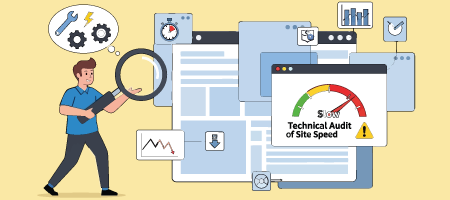
7. Site Speed and Core Web Vitals Problems
Performance issues are everywhere, especially on mobile devices.
Why this matters
Speed is both a ranking factor and a conversion factor. Slow sites frustrate users and send negative engagement signals to search engines.
What we typically find
Oversized images. Bloated themes. Too many plugins doing overlapping jobs. Third-party scripts loading on every page, whether they’re needed or not.
Why it happens
Features are added incrementally. Performance isn’t monitored over time. Nothing is ever removed “just in case.”
What fixing it actually does
Improved load times increase engagement, reduce bounce rates, and make marketing campaigns more efficient. You stop paying to send traffic to a slow experience.
8. Outdated Websites and Inconsistent Contact Information
This is one of the most overlooked technical SEO issues we encounter, and one of the most damaging for local and service-based businesses.
Why this matters
Search engines value trust and accuracy. When your website hasn’t been updated in years, or when your contact information doesn’t match citations across the web, it undermines confidence.
What we typically find
Phone numbers on the website that don’t match directory listings. Old addresses still indexed. Footer copyright dates from years ago. Staff pages referencing people who left long ago. Blog sections abandoned mid-stream.
Why it happens
Businesses evolve faster than websites. Moves, rebrands, phone changes, and staffing updates don’t always get reflected everywhere. “We’ll update it later” becomes permanent.
What fixing it actually does
Fresh, accurate information builds trust, improves local SEO performance, and increases conversion rates. Users feel confident contacting you. Search engines feel confident recommending you.
9. Technical Debt From Years of Incremental Decisions
This is the silent killer of long-term SEO performance.
Why this matters
Technical debt makes sites fragile. Small changes break things in unexpected ways. SEO fixes become riskier and more expensive than they should be.
What we typically find
Plugins installed years ago with no clear purpose. Custom code no one wants to touch. SEO tools layered on top of SEO tools. Conflicting scripts and outdated integrations.
Why it happens
Websites are living systems. They grow without pruning. Everyone is afraid to remove anything that “might be important.”
What fixing it actually does
Reducing technical debt improves stability, performance, and future scalability. SEO becomes easier, not harder, over time.
Why These Problems Keep Showing Up
None of these issues stem from negligence. They stem from growth. New content, new features, new vendors, new priorities. Without ongoing technical oversight, complexity compounds quietly.
This is why experienced SEO agencies focus so heavily on audits. Not to overwhelm clients, but to identify patterns early and prioritize fixes that actually move the needle.
What a Real Technical SEO Audit Should Deliver
A proper audit isn’t a spreadsheet of warnings. It’s a roadmap.
It explains what’s broken, why it matters, and what to fix first. It links technical improvements to business outcomes such as visibility, leads, trust, and conversions.
Most importantly, it acknowledges reality. Not everything needs to be fixed at once, but the right things need to be fixed in the right order.
If your website hasn’t had a technical SEO audit in the past year, chances are several of these issues are quietly holding it back. The frustrating part is that many of them are solvable without redesigning your entire site or rewriting everything from scratch.
That’s the value of experience.
The Hidden Pillars of SEO
Six common technical roadblocks and how to fix them.
Frequently Asked Technical SEO Questions
What is a technical SEO audit?
A technical SEO audit evaluates how well a website is structured, crawled, indexed, and rendered by search engines. It focuses on behind-the-scenes issues that affect visibility, performance, and user experience.
How often should a website have a technical SEO audit?
At least once a year. Websites that publish regularly or add features should be reviewed more often. Any redesign or platform change should always be followed by an audit.
Why does outdated content and inconsistent contact information hurt SEO?
Search engines and users both favor accuracy and freshness. Mismatched contact details reduce trust, weaken local SEO signals, and can directly impact rankings and conversions.
Can fixing technical SEO issues improve rankings without new content?
Yes. Many sites see meaningful improvements simply by removing technical barriers. Fixes don’t guarantee rankings, but they create the conditions necessary for strong performance over time.
What is schema markup and why does it matter for SEO?
Schema markup is structured data added to a website’s code that helps search engines understand what a page represents, not just what it says. It improves how content is interpreted, increases eligibility for rich results, and supports visibility in AI-driven search experiences.
Can schema markup be added incorrectly?
Yes, and this is common. Incomplete, misleading, or inconsistent schema can be ignored by search engines or even create trust issues. Schema should always reflect the actual content on the page and be applied consistently.